
Using Esansmatik step by step
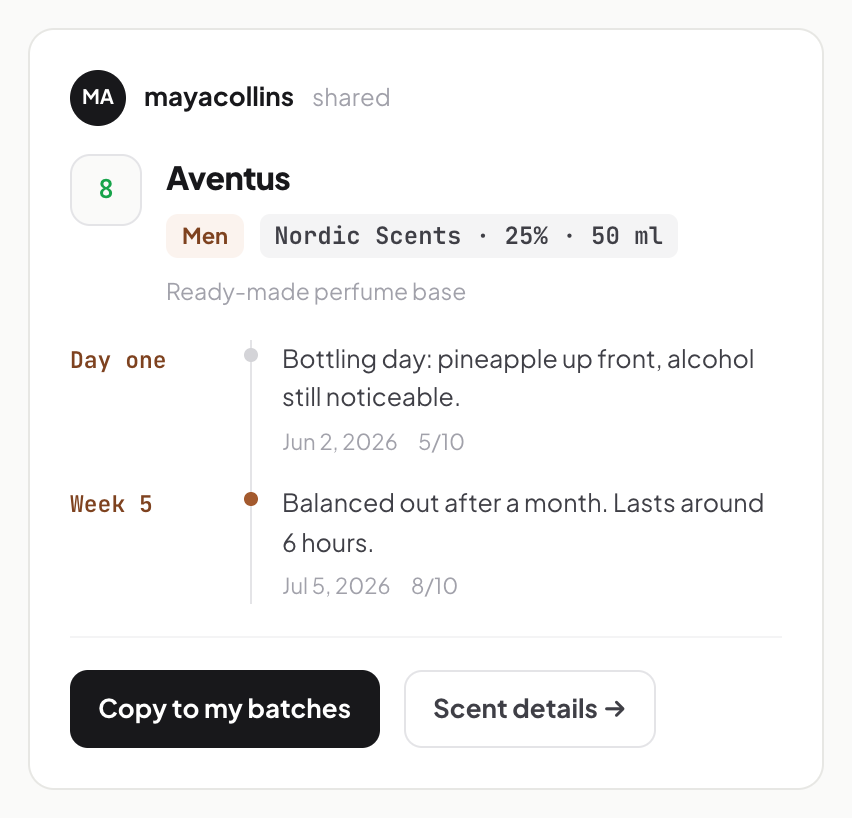
We walk through Esansmatik in six steps, from setting up your materials to sharing your batches. The screenshots come from the app itself, and every step follows the same example: an Aventus recipe at 25%.
Set up your materials
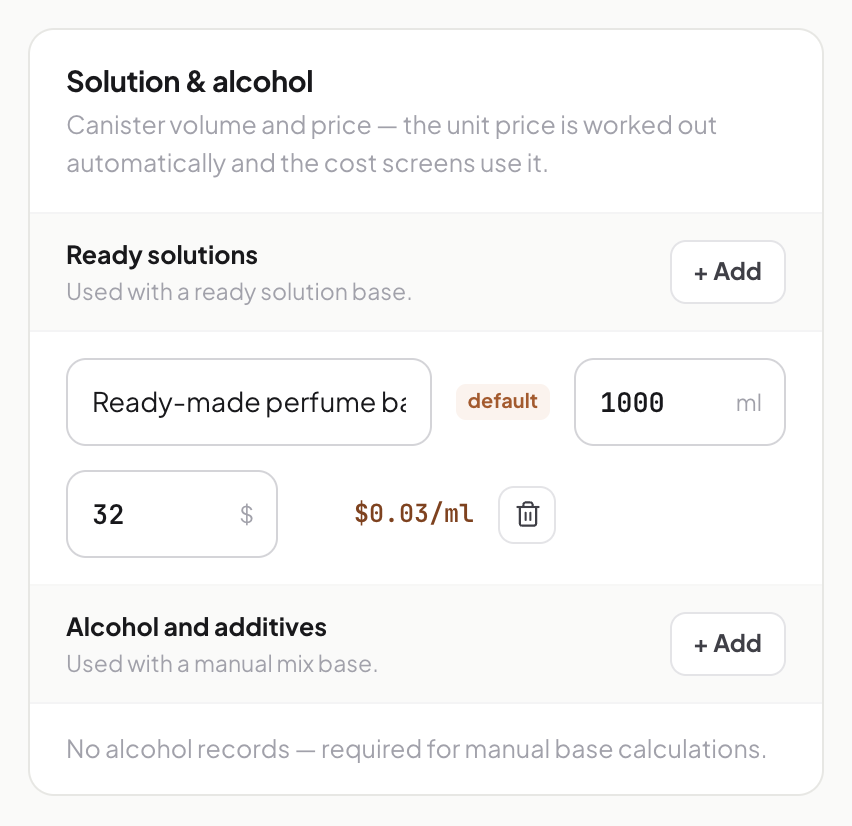
Enter your fragrance houses, your base and your bottle prices in Settings once. The calculator and cost screens use them from then on.
Go to Settings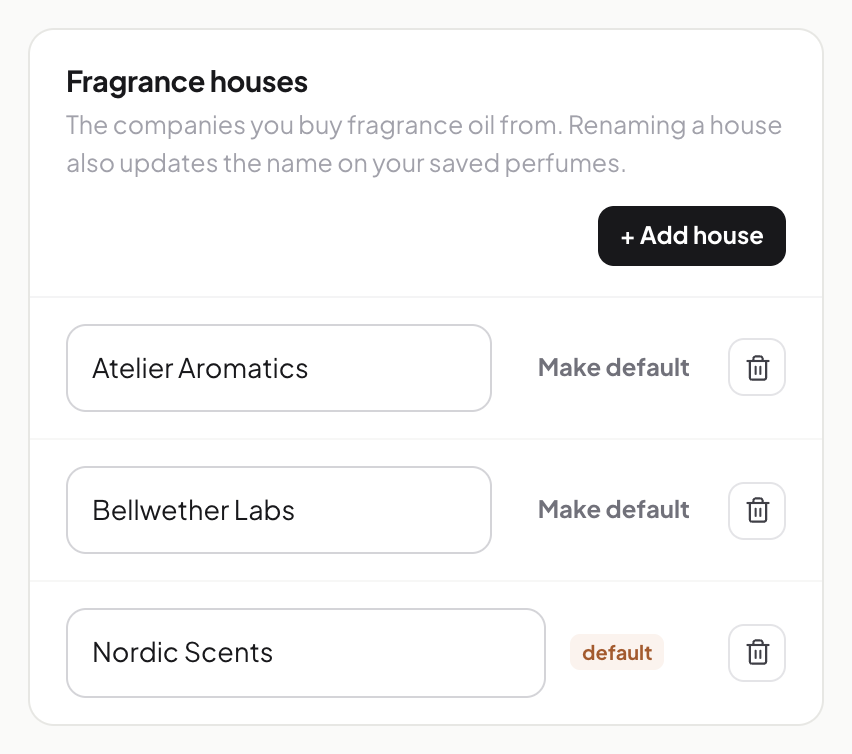
Add the perfume
Type the name, pick the fragrance house and enter the usage ratio. If you make the same perfume with another house's oil, that house keeps its own ratio.
Add a perfume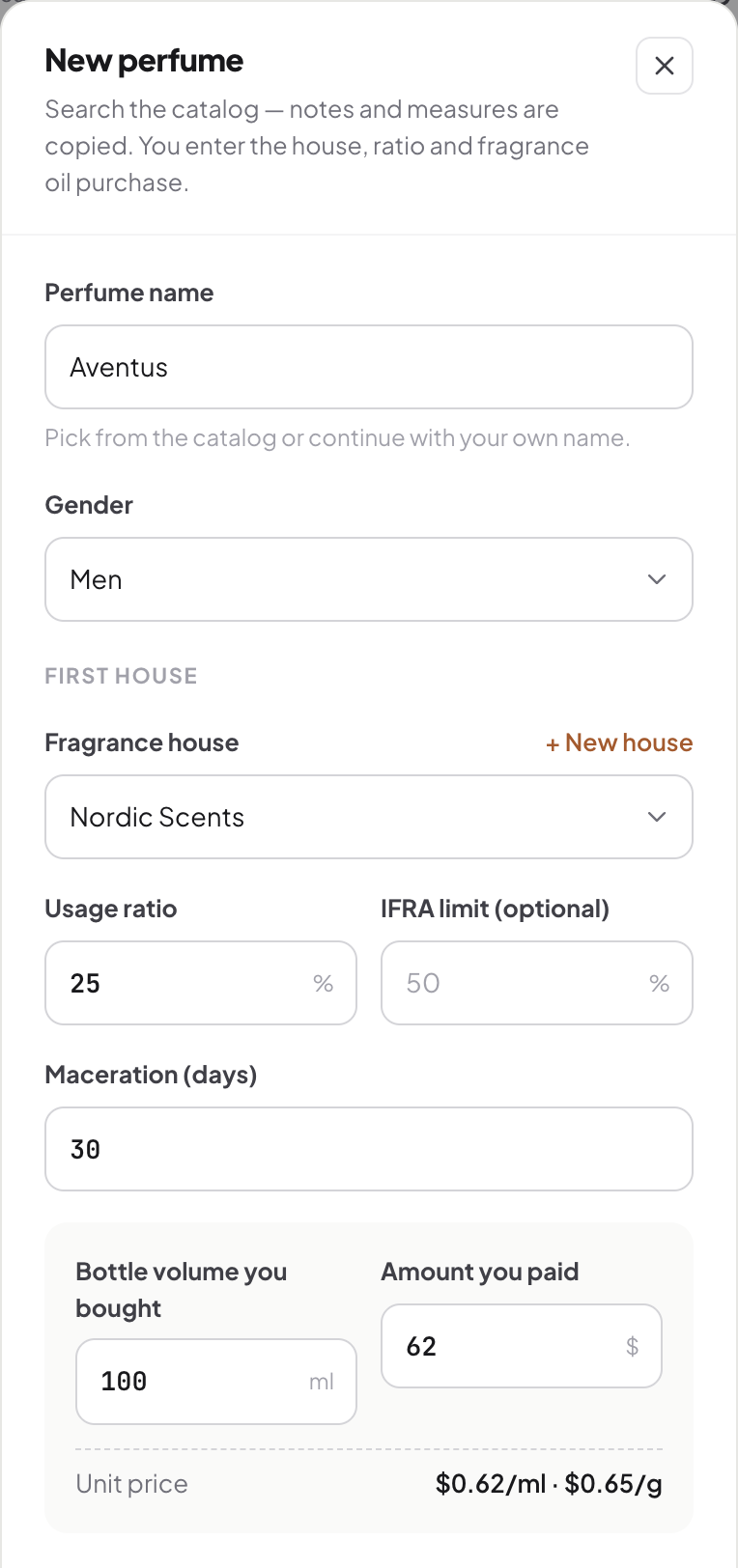
Pick a bottle size and see the amounts
30, 50, 100 ml or any size you like. The fragrance oil and base you need show up in ml and grams.
Open my perfumes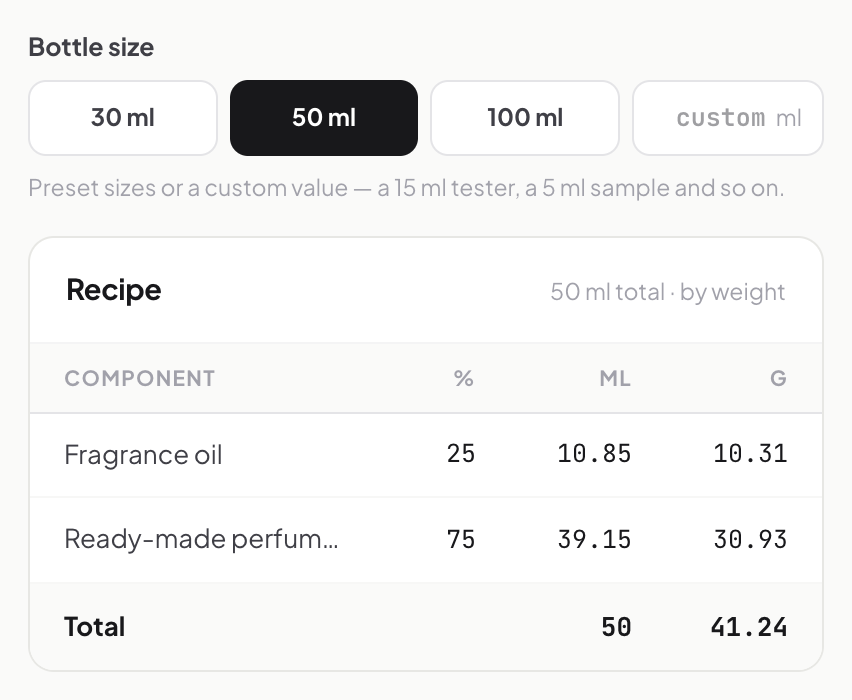
Log your batch and add notes over time
Open a batch on the day you mix and write your first note and score. Add notes to the same batch in the following weeks to see which ratio settled, and how long it took.
Add a batch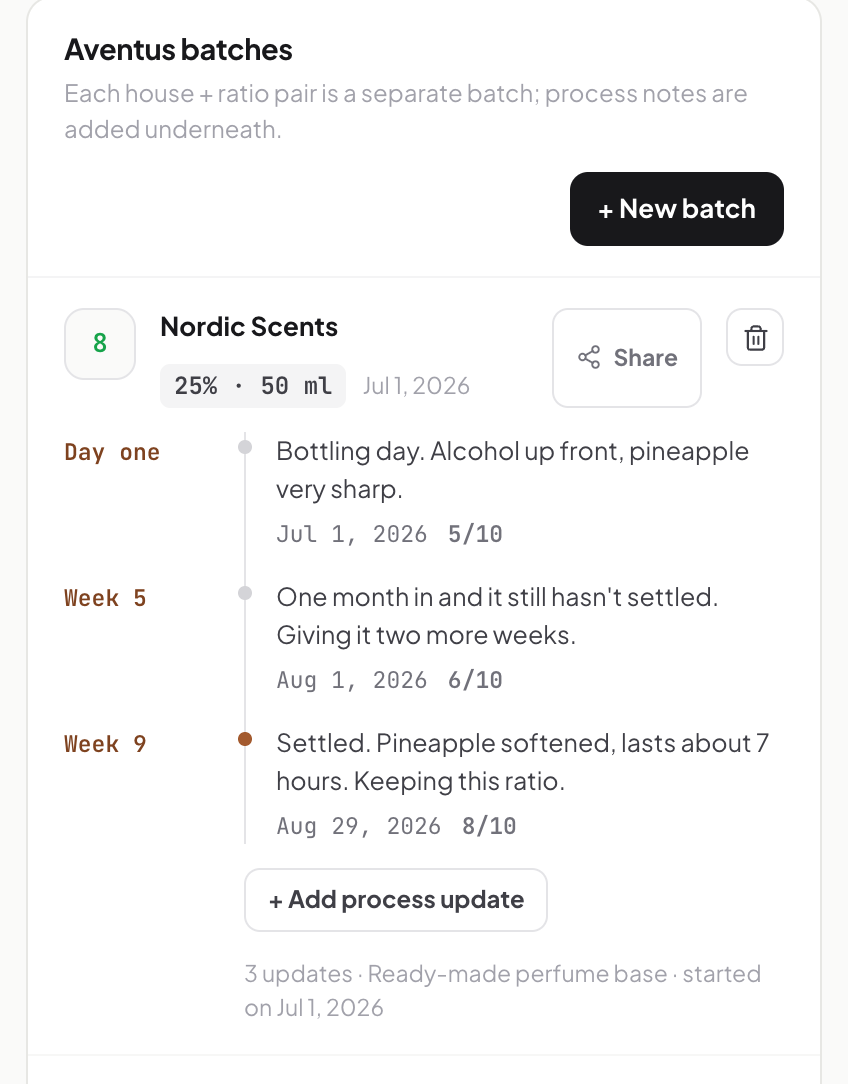
Work out your cost and profit
Oil, base, bottle, label and box add up to the unit cost. Enter a sale price to see the profit per bottle.
Calculate your cost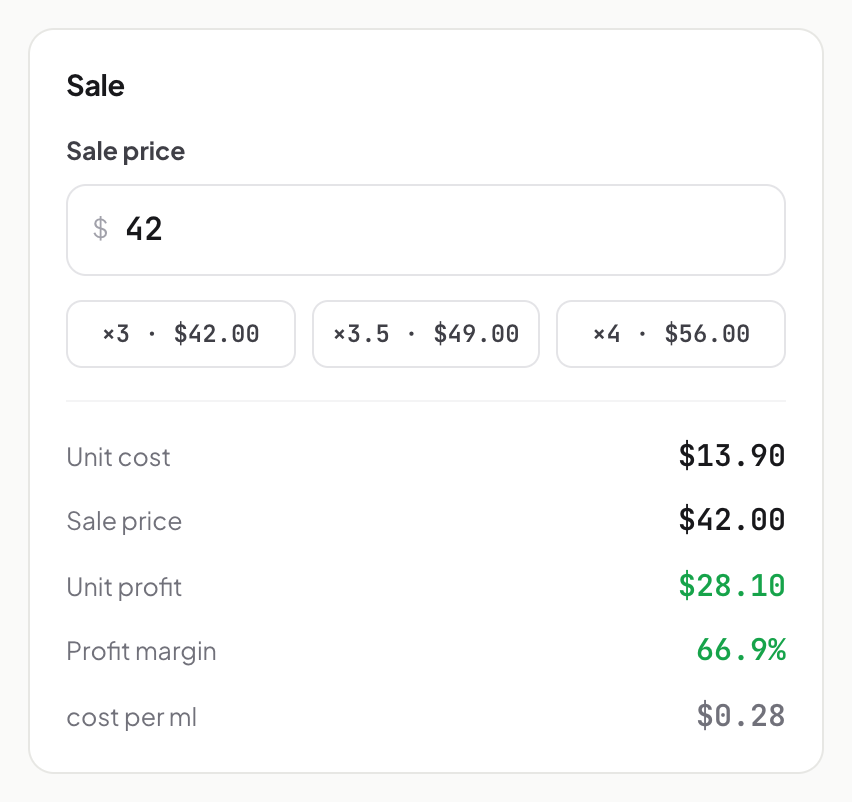
Share and follow
Batches you make public appear on your share page; the rest stay private. New batches from people you follow show up in your feed.
Go to my batches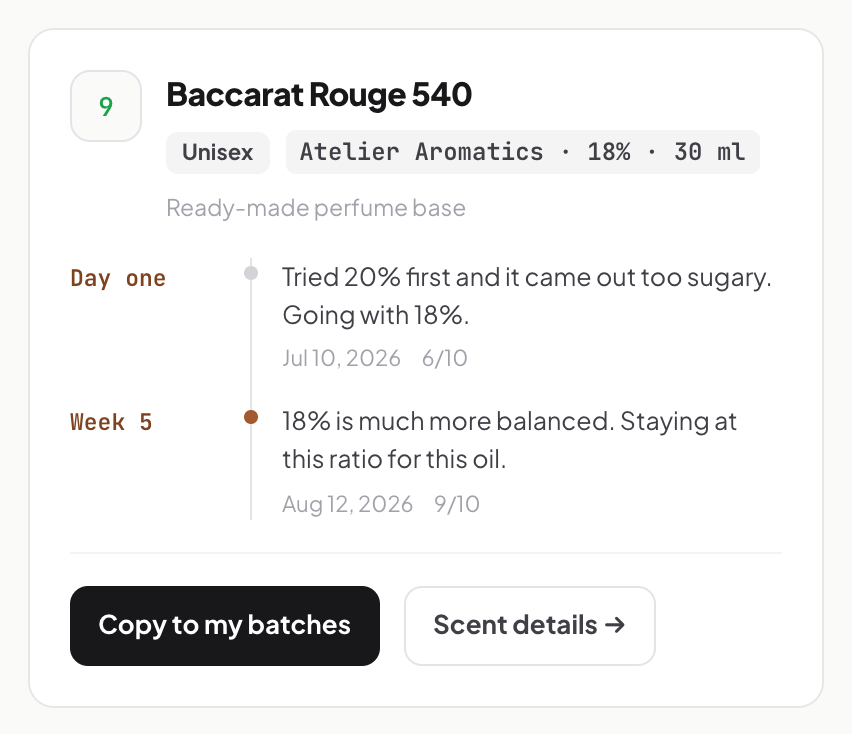
Log your first perfume
Signing up is free; use your email address or your Google account.
Open the app